Paste any action's JSON output, select a value, and instantly get the expression to use it in your flow.

How to use it

Action Details

Parsed Values

Parse a JSON to see values here

{ }

Enter the action name and paste JSON output,
then click Parse JSON

Generated Expression

How to use it

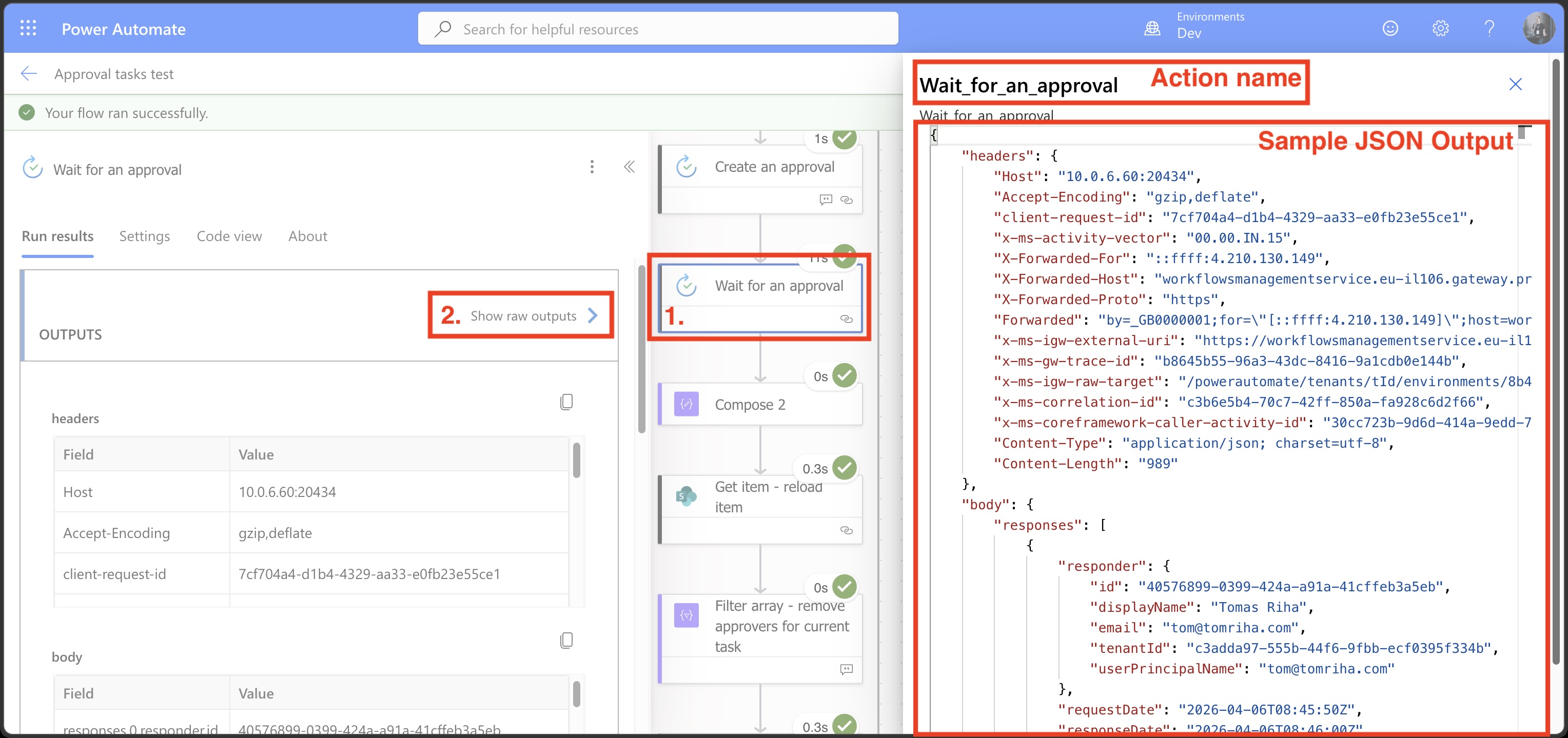
  1. Add the action into your flow.
  2. Do a Test run of the flow to get the output sample.
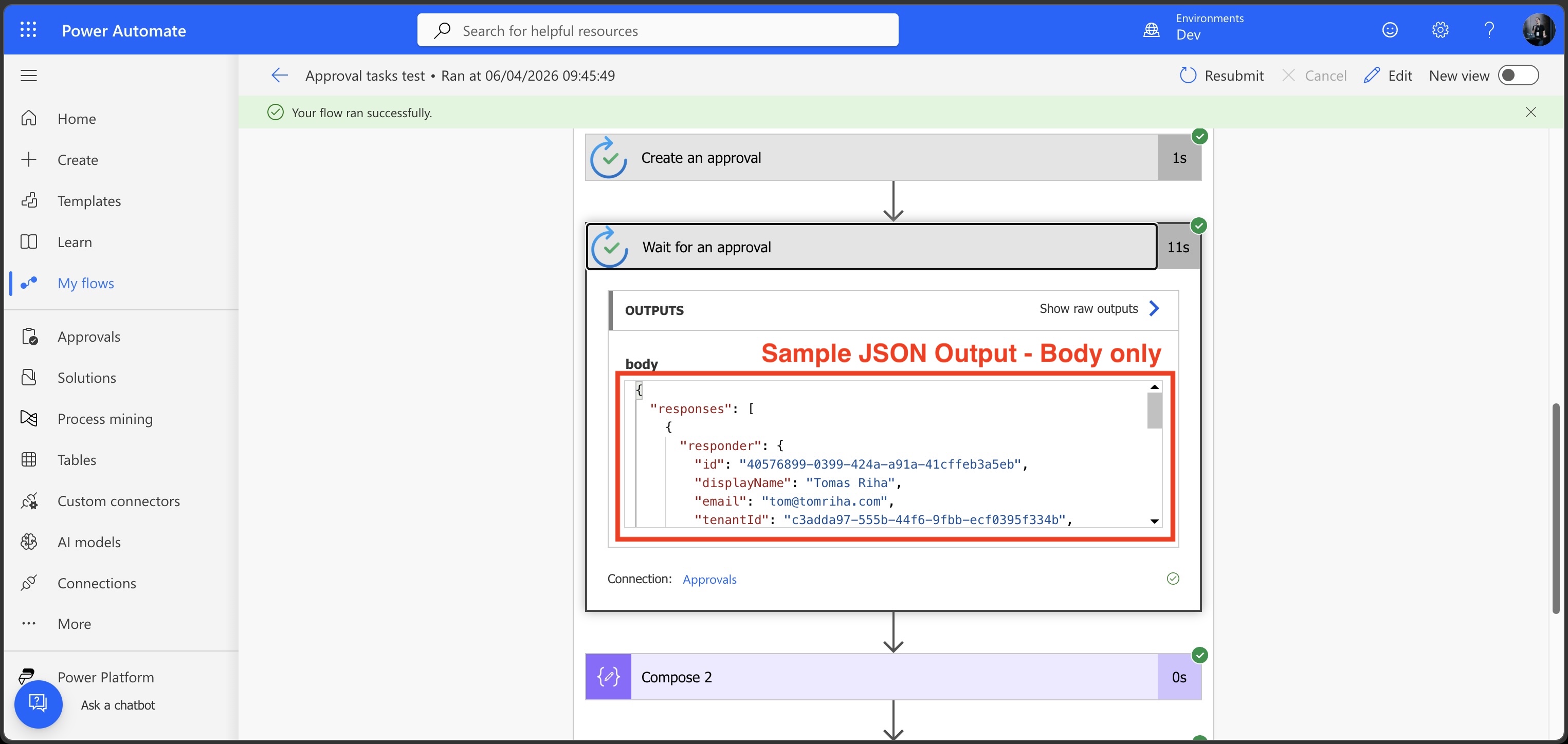
  3. IMPORTANT: copy / paste the whole raw output from the action - not only the body.
  4. Copy / paste the action name exactly as shown in the designer.
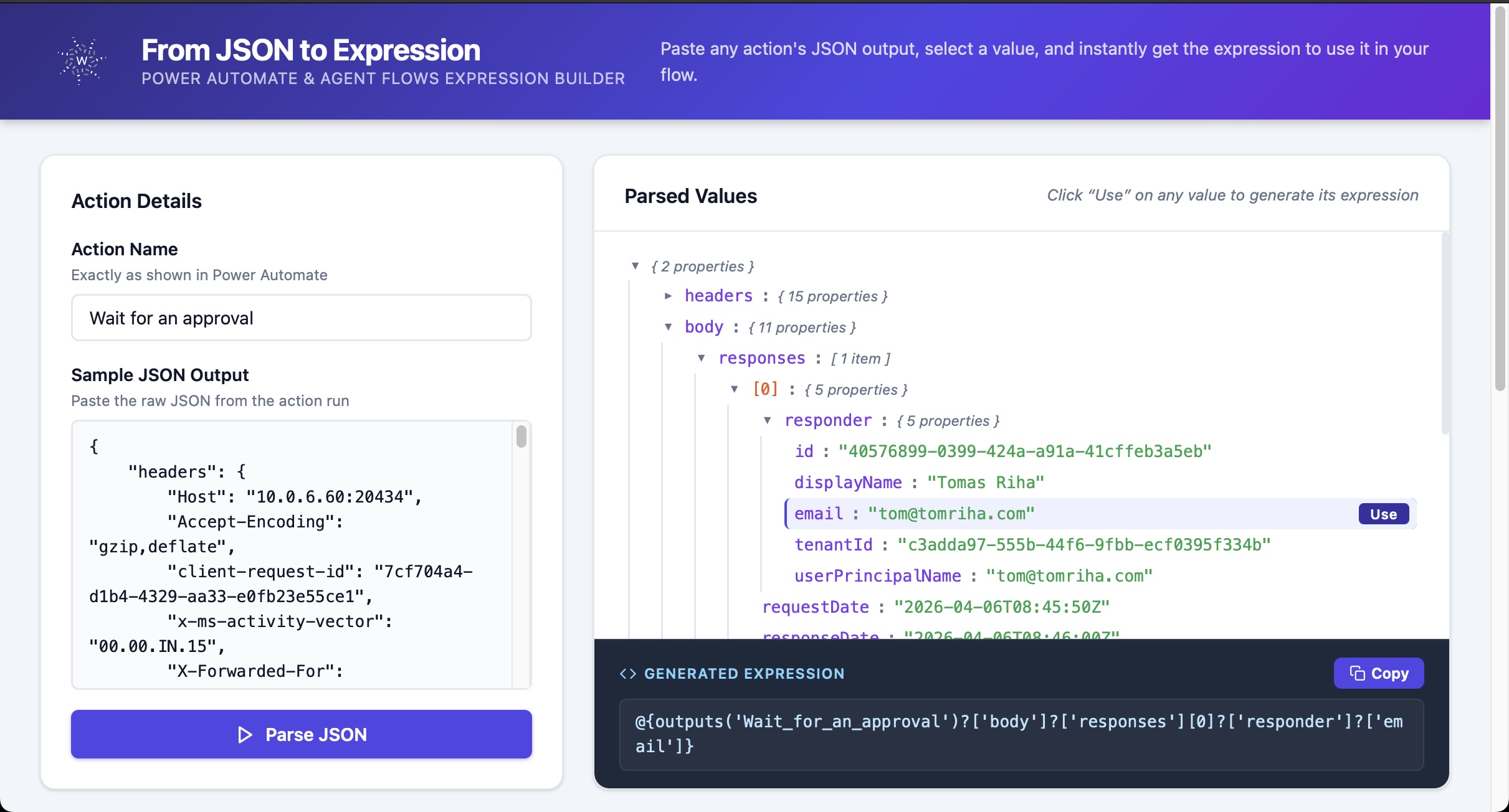
  5. Hit the Parse JSON button.
  6. Find the value you need in the parsed JSON tree.
  7. Click the Use button next to it - the expression is generated and copied straight to your clipboard.
  8. Paste the expression directly into the flow - do not use the expression editor, just paste it as-is.
Step-by-step instructions: enter action name, paste JSON, click Use on a value to copy the expression Sample action output JSON